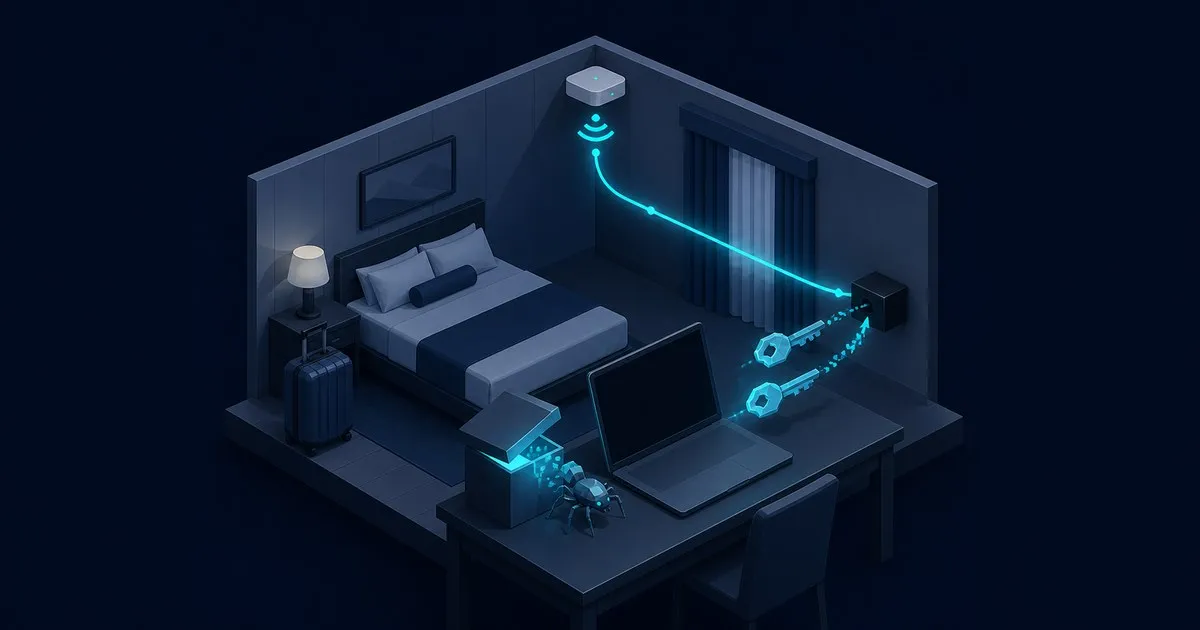
If a Windows Update screen appears when you sign in to hotel Wi-Fi, close it. Real Windows updates run from Settings > Windows Update and are validated by digital signature and file hash before install, never through a hotel login page. Since May 2026, Russia’s SVR-linked Storm-2945 has used that exact lure to plant spyware on travelers’ laptops.
Microsoft disclosed on July 31, 2026, that a Russian state-linked threat cluster has been hijacking hotel Wi-Fi captive portals since May 2026 to serve fake browser and operating system updates that install a full-featured surveillance trojan on the devices of corporate travelers.
The operation, which Microsoft tracks as CaptiveCrunch, is attributed to Storm-2945, assessed as an operational sub-cluster of Midnight Blizzard — the threat actor tied to Russia’s Foreign Intelligence Service (SVR), also known as APT29 and Cozy Bear. The campaign remains active, with no patch available for the underlying attack surface: public Wi-Fi infrastructure.
Microsoft updated the advisory on October 5, 2026: Storm-2945 resumed CaptiveCrunch on September 29, some victims received a Rust variant of CornFlake, and three redirect domains and two IP addresses joined the indicator list. Microsoft says the group’s “continued access to these upstream providers,” the hospitality managed service providers behind guest Wi-Fi, likely enabled the fast restart.
Is a Windows update prompt on hotel Wi-Fi real?
No. Windows opens a browser window when you join hotel Wi-Fi, but only to show the network’s sign-in page. Any update, driver repair or virus scan offered in that window comes from whoever controls the network. Microsoft’s CaptiveCrunch advisory tells users to “verify update requests through trusted operating system mechanisms rather than pop-up messages or website prompts.”
The timing is what makes the lure work. When a Windows 10 or later laptop joins a network, the Network Connectivity Status Indicator (NCSI) sends a plain HTTP GET to http://www.msftconnecttest.com/connecttest.txt and checks that the file contains “Microsoft Connect Test.” If the network requires a sign-in, Windows opens the default browser on the portal page by design. On a compromised portal Storm-2945 controls the DNS and HTTP answers, so the browser window Windows opened for you is the attacker’s page. Microsoft says the group delivered malware posing as browser or OS updates “in response to automated connectivity checks,” and one of its published hunting queries keys on exactly that moment.
| Genuine Windows Update | CaptiveCrunch fake update | |
|---|---|---|
| Where it starts | The Settings > Windows Update page, or Windows components calling the update client | A browser tab that opens as you join the Wi-Fi |
| Connection | Metadata over HTTPS on TCP 443, certificate-pinned to Microsoft’s Windows Update issuer | DNS and HTTP answers forged by the hijacked portal gateway |
| File delivery | Delivery Optimization over HTTP (TCP 80) or peer-to-peer (TCP 7680) | A download link, or a command to paste into Windows Terminal |
| Before install | Digital signature and file hash validation | No check; the user runs it |
| Outcome | Patched Windows | CornFlake RAT, ChocoShell stealer, or a device code prompt that hands over Microsoft 365 tokens |
Certificate pinning is why the attackers fake the screen rather than the update. Windows Update’s metadata connection fails if the server certificate’s issuer is not a genuine Windows Update intermediate, which stops a man-in-the-middle on the hotel network from posing as Microsoft’s update servers. CaptiveCrunch’s winupdate template instead shows a Windows Update-style “Working on updates… Don’t turn off your computer” screen with a false progress counter.
Should you update your laptop on hotel Wi-Fi?
Update before you travel. That has been the advice since May 2012, when the FBI’s IC3 warned that travelers abroad were getting malware from fake update pop-ups while setting up hotel internet. If something cannot wait, switch to your phone’s hotspot, or finish the portal sign-in and connect your VPN, then run Windows Update from Settings.
- Patch immediately before you leave, so nothing legitimate needs installing on the road. The 2012 FBI alert and Malwarebytes’ CaptiveCrunch guidance both start here.
- Use your own connection where you can. Microsoft recommends a mobile hotspot, cellular or eSIM data, or an organization-managed travel router over venue Wi-Fi.
- On hotel Wi-Fi, sign in to the portal first, then start the VPN with its kill switch enabled, before opening any other site or app.
- Close any portal page that wants something installed. A Wi-Fi login never needs an update, driver repair tool, certificate, or a command pasted into a terminal.
- Check for updates yourself in Settings > Windows Update. For other software, use the vendor’s own updater or website, as the 2012 FBI alert advised.
How CaptiveCrunch Works
Attackers compromise the captive portal systems of hotels, conference centers, and airports. The portals, which normally intercept unauthenticated guests and redirect them to a sign-in page, are repurposed as DNS resolvers under attacker control. When a traveler connects and attempts to browse, DNS poisoning redirects traffic to actor-controlled infrastructure.
The landing pages present ClickFix-style social engineering. Microsoft found eight fake-dialog templates in the operators’ campaign builder, named winupdate, defender, directx, vcredist, sysopt, netfix, browser and pdfview: imitations of Windows Update, Microsoft Defender scans, DirectX and Visual C++ redistributable installers, system optimization and network repair tools, browser updates and a PDF viewer. Another page posed as a “Windows Driver Repair Utility” that claimed automated repair had failed and told the user to run a verification script in Windows Terminal, and some landings carried instructions for Android users to install an APK. The same lure family appears in the GRU-linked campaign where UAC-0145 used fake CAPTCHAs to get Ukrainian targets to paste PowerShell, which is what makes ClickFix a cross-actor delivery pattern rather than one group’s tradecraft. A Windows user who clicks through receives one of two malware payloads.
Microsoft noted that beginning July 16, 2026, some landing pages also integrated Microsoft device code authentication flows, a technique the group has used since at least February 2026, to harvest Microsoft 365 and Azure Active Directory tokens in addition to — or instead of — installing malware. ReliaQuest also saw attempted Web Proxy Auto-Discovery (WPAD) abuse in roughly one-third of observed cases, with no confirmed success.
Which hotel brands were hit?
None has been named. Microsoft, ReliaQuest and Black Lotus Labs all point at the companies that run hotel Wi-Fi rather than at any chain. Black Lotus Labs tied about 70 affected IP addresses to three North American providers that serve seven of the ten largest American hotel chains, GBHackers reported on October 6, 2026.
Microsoft’s July advisory did not name brands or venues either, noting only that common equipment and management systems across affected networks suggested access to shared services rather than isolated venue breaches. The October update is firmer, citing Black Lotus Labs reporting “suggesting that multiple hospitality managed service providers are implicated.” Black Lotus Labs assessed with moderate confidence that the attackers compromised several providers first and then exploited their downstream customer relationships.
ReliaQuest’s July 23 report found compromised gateways in multiple US cities and in India and Saudi Arabia, mostly at hotels, carrying traffic from financial services, professional services, legal, healthcare, energy and retail employers. It assessed with low-to-medium confidence that the attackers got in through exposed SSH, SNMP and web admin interfaces combined with weak or reused administrator credentials. Targets are corporate travelers — people whose devices carry enterprise credentials, M365 sessions, and access to internal systems.
For a traveler, the brand on the key card says little about the network. A flagship property and an independent hotel are equally exposed if both buy guest Wi-Fi from the same compromised provider.
The Malware: CornFlake and ChocoShell
CornFlake is a Go-based remote access trojan (RAT) with broad surveillance capability. On execution it copies itself to %APPDATA%\svchost32\svchost32.exe, registers a Windows service named svchost32 with the display name “Cloud Sync Service,” creates Registry Run keys and scheduled tasks, and starts a watchdog routine that reinstalls it if removed. Its configuration lives in a file named sync.dat. Since the campaign resumed on September 29, Microsoft has also seen a Rust variant.
Operator tasking covers:
- Webcam image capture via Media Foundation and microphone audio recording via the Windows Audio Session API (WASAPI)
- Keystroke logging and clipboard monitoring with active window context
- Screenshot capture and file exfiltration categorized by extension
- Browser credential and cookie theft from Chrome, Edge, Brave, and Firefox, including a Chrome App-Bound Encryption (ABE) bypass in a ChromeKatz-derived module
- Removable media scanning
- Remote shell access
Command-and-control communications use ECDH P-256 key exchange with SHA-256 session derivation over a custom JSON protocol. Each session uses a unique ephemeral key pair.
ChocoShell is an in-memory PowerShell stealer deployed alongside or instead of CornFlake in some intrusions. Its priority target is cloud authentication tokens: it extracts Microsoft 365 SSO access and refresh tokens, Web Account Manager (WAM) tokens stored in .tbres files from the Token Broker cache, browser cookies, and saved passwords. For Chrome’s ABE-protected data it impersonates a SYSTEM token, since ABE decryption requires SYSTEM-level DPAPI access. It also harvests Wi-Fi credentials with netsh wlan show profile.
ChocoShell evades endpoint defenses by bypassing AMSI through .NET reflection, timing sandbox detection, and masking C2 traffic as image pixel requests to /t/pixel.gif?m=<status> and JavaScript polyfill fetches to /cdn/chunks/polyfill-7e2b.min.js. Exfiltrated data is GZip-compressed and Base64-wrapped before transmission to /t/event. The stealer attempts UAC bypass through a three-method fallback: SilentCleanup task hijack, wsreset.exe COM handler hijacking, and sdclt.exe folder hijack.
Both tools are managed through FruitStone, a web-based C2 panel masquerading as “CloudSync Console” by a fictitious vendor, “Acuity Systems, Inc.” Zscaler ThreatLabz describes it as an unauthenticated panel. It offers a real-time agent dashboard with geographic mapping, file browsing, collection tasking, and a campaign builder wizard for configuring which fake update lure to display.
Scope and Attribution
ReliaQuest published an independent disclosure on July 23, 2026, eight days before Microsoft’s advisory. It compared the tradecraft to APT28 but stopped short of attribution because the link rested on TTP overlap, not shared infrastructure or code. Microsoft places the activity with the SVR’s Midnight Blizzard instead.
The SVR attribution follows an established pattern. Midnight Blizzard has previously conducted supply-chain compromises (SolarWinds, 2020), targeted Microsoft’s own corporate email environment (disclosed January 2024), and repeatedly used device code phishing against government and enterprise targets. CaptiveCrunch extends those credential-theft goals into the physical hospitality layer. Campaigns at this tempo depend on hosting that survives takedown attempts, which is what the Dutch seizure of 800 servers was aimed at and why prosecutors went after the facilitators rather than the sanctioned entity. Bulletproof hosting: why takedowns keep failing sets out how quickly that capacity has historically been replaced.
Anthropic’s September 2026 threat intelligence report adds an AI angle. GTG-20006, an actor whose attribution Anthropic calls “consistent with public reporting linking the actor to Midnight Blizzard,” compromised at least three hotel guest Wi-Fi vendors with stolen admin credentials and used AI agents to rebuild its malware whenever security products flagged it. Microsoft likewise describes the Rust CornFlake as showing “continued AI-enabled malware development.” That kind of AI-assisted malware work shortens the useful life of any single file hash.
Indicators of Compromise
Microsoft published the following IOCs in its July 31 advisory and added newer network indicators, first seen between September 29 and October 1, in its October 5 update:
| Indicator | Type | Microsoft’s label |
|---|---|---|
cdn-gstat[.]com | Domain | CaptiveCrunch redirect (October wave) |
sslcdnhost[.]com | Domain | CaptiveCrunch redirect (October wave) |
network-privacy[.]com | Domain | CaptiveCrunch redirect (October wave) |
154.29.75.245 | IP | CaptiveCrunch infrastructure (October wave) |
149.3.170.186 | IP | Device code flow infrastructure (October wave) |
ms365-device[.]com | Domain | Device code flow redirect |
ms365-live[.]com | Domain | Device code flow redirect |
m365-owa[.]com | Domain | AitM infrastructure |
owa-ms365[.]com | Domain | AitM infrastructure |
31.57.243.154 | IP | AitM infrastructure |
38.146.28.75 | IP | AitM infrastructure |
38.146.28.132 | IP | DNS resolver |
104.194.159.150 | IP | AitM infrastructure |
107.189.26.194 | IP | ChocoShell C2 / DNS resolver |
213.145.86.112 | IP | ChocoShell C2 |
File hashes (SHA-256):
- CornFlake:
918fa52ae45ed60ba7cc8bdc99c3cbe9ab92e0375ec31fc05d0d4513be11c593 - ChocoShell:
be99857449d2856dd5a84e21c8a3d5e0e01456adb44062ddec5a6b4970d8d42c
What is 918fa52ae45ed60ba7cc8bdc99c3cbe9ab92e0375ec31fc05d0d4513be11c593?
It is the SHA-256 hash Microsoft published for CornFlake, the Go-based Windows RAT that CaptiveCrunch’s fake update pages install. A file with this hash copies itself to %APPDATA%\svchost32\svchost32.exe and registers the svchost32 service; Microsoft Defender detects the family as Backdoor:Win64/CornFlake and Behavior:Win32/CORNFLAKE. A match on any endpoint means a traveler ran a fake update and the device needs incident response, not just a quarantine. The Rust variant reported on October 5 will not share this hash, so pair hash blocking with the persistence markers below.
Advanced hunting queries covering post-NCSI file creation, Storm-2945 infrastructure connectivity, CornFlake service registration, and ChocoShell C2 patterns are included in the Microsoft advisory. The NCSI query flags any file created within two minutes of a Wi-Fi connectivity test; Microsoft notes that not every result will be malicious.
What Defenders Should Do
- Block device code flow in Azure AD Conditional Access except where it is operationally required. Implement policies that flag or deny risky sign-ins from unfamiliar network locations.
- Push travel security guidance before employee travel: avoid installing anything from a captive portal, use a mobile hotspot or enterprise travel router instead of hotel Wi-Fi, and never enter corporate credentials on a network that triggers update prompts.
- Deploy the published IOCs — domains and IPs, including the October additions — to DNS sinkholes, firewall block lists, and SIEM detection rules within 24 hours.
- Hunt for CornFlake persistence markers:
%APPDATA%\svchost32\svchost32.exe, thesvchost32service (display name “Cloud Sync Service”), async.datconfiguration file, and associated Run keys and scheduled tasks. - Review Microsoft 365 risky sign-in reports for accounts whose last successful authentication originated from a hospitality network. Revoke refresh tokens for any flagged accounts and force reauthentication through a trusted device.
- Close the DNS and proxy gaps the portal exploits. ReliaQuest recommends always-on, full-tunnel VPN so DNS reaches corporate resolvers first, strict-mode encrypted DNS (DoH or DoT with plaintext fallback disabled, since opportunistic mode is not enough), and disabling WPAD through Group Policy where automatic proxy discovery is not needed.
Microsoft Defender for Endpoint detections covering ClickFix activity, AMSI tampering, OAuth device code abuse, UAC bypass, and browser credential theft are listed in the advisory for organizations using that platform.
FAQ
what is hotel brand hijacking
In hotel marketing, Operto defines brand hijacking as intercepting guests who have already chosen a hotel by inserting an unnecessary third-party booking channel, often a predatory online travel agency, between that decision and the hotel’s direct booking. CaptiveCrunch is a different problem: attackers hijacked the guest Wi-Fi behind hotel brands, not their booking channels.
is captivecrunch still active
Yes. Microsoft’s October 5, 2026 update says Storm-2945 resumed CaptiveCrunch on September 29, 2026, likely helped by continued access to hospitality managed service providers. The new wave uses a Rust variant of CornFlake and fresh redirect domains, including cdn-gstat[.]com, sslcdnhost[.]com and network-privacy[.]com, so refresh any blocklist built from the July indicators.
does a vpn protect you on hotel wifi
Largely, if it connects right after the portal sign-in and before anything else opens. Malwarebytes advises finishing the hotel login, then starting a VPN with its kill switch on. The sign-in page itself loads outside the tunnel, so never install anything it offers; ReliaQuest recommends always-on, full-tunnel VPN for corporate laptops.
how do i check my laptop for cornflake malware
Look for %APPDATA%\svchost32\svchost32.exe, a service named svchost32 that displays as “Cloud Sync Service,” a sync.dat file and unfamiliar Run keys or scheduled tasks. Microsoft Defender detects it as Backdoor:Win64/CornFlake or Behavior:Win32/CORNFLAKE. If you find it, isolate the laptop, rebuild it, and have IT revoke your Microsoft 365 sessions.


